
Lead management
Bring customer opportunities into a focused operating context, with ownership and the information needed for the next conversation.
Lead context · ownership · actionWEBCINCTURE SALES CRM / A WEB CINCTURE PRODUCT
Manage leads, field visits, follow-ups and pipeline activity in a focused workspace for sales teams.
Portfolio name: Daily Sales CRM. Official product branding: Webcincture Sales CRM.
 THE DAILY SALES WORKSPACE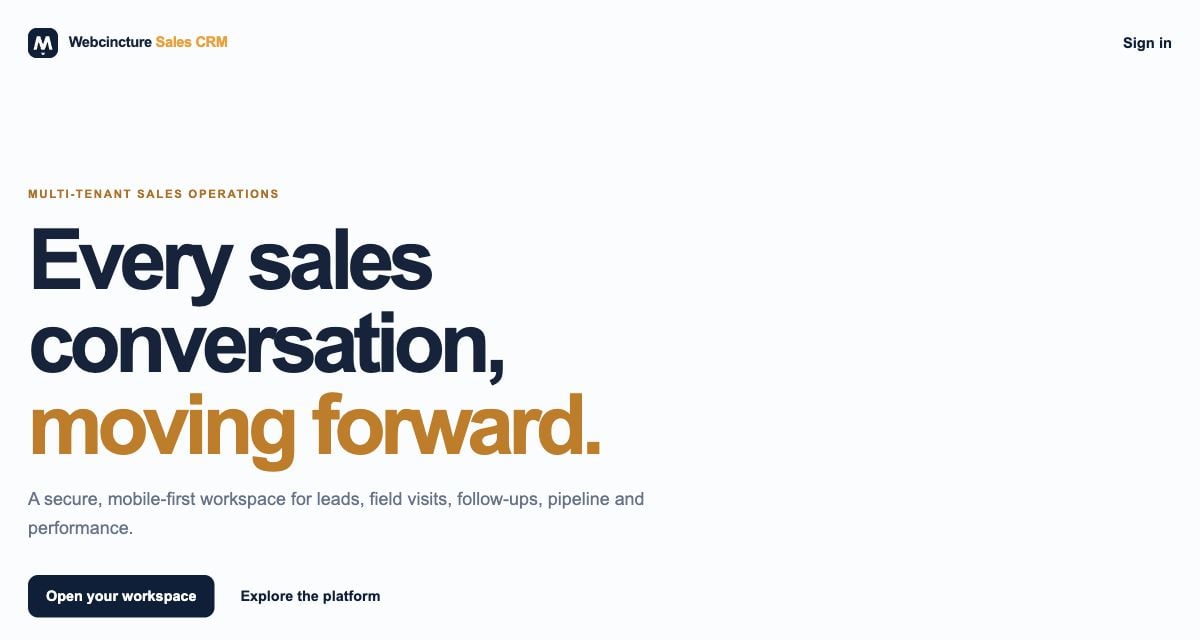
DAILY SALES CRM / WEBCINCTURE SALES CRM
Daily Sales CRM is a Web Cincture product for leads, follow-ups, field visits, pipeline and sales activity. The official product website uses the name Webcincture Sales CRM.
It brings the work behind a sales conversation into a mobile-first operating workspace. Executives need a focused view of their next actions; managers need the appropriate context for reviewing team activity and opportunities.
The portfolio name and official product branding refer to the same featured CRM—not two separate products or a promise of bundled subscriptions.
THE PRODUCT IN PRACTICE
Explore the CRM’s core operating areas. Review current functionality, access rules and the team’s workflow during a product walkthrough.
Bring customer opportunities into a focused operating context, with ownership and the information needed for the next conversation.
Lead context · ownership · actionKeep the next action visible so sales conversations can continue with context instead of relying on scattered notes.
Next action · continuity · reviewConnect field visits with the sales activity they support. Review the relevant visit process and reporting needs during a walkthrough.
Visits · field activity · follow-throughReview opportunities and stage context to understand where work stands. A pipeline view is not a guarantee of future revenue.
Stages · opportunities · reviewBring daily sales work into a manager’s review context, with the appropriate access for the team and company.
Team work · activity · visibilityThe public product describes tenant-aware access, server-side permissions and activity audit trails as part of its foundation.
Company context · permissions · accountabilityA SALES-DAY OPERATING FLOW
An illustrative view of sales follow-through—not live pipeline data, an automated conversion engine or a guarantee of won business.
Bring the enquiry and relevant information into the operating workflow.
Confirm who owns the next action under the team’s access model.
Continue the conversation and record relevant sales or field activity.
Keep opportunity status aligned with what has actually happened.
Review progress and decide what needs attention or closure.
A completed follow-up or visit does not establish a won opportunity or collected payment. Use defined statuses and evidence when reviewing outcomes.
TWO PERSPECTIVES ON THE SALES DAY
These perspectives explain the operating need. Exact role permissions, assignment rules and record visibility should be confirmed in the product walkthrough.
Keep relevant leads, follow-ups and field activity in context, with the next action connected to the sales conversation.
Understand team activity and opportunity context within the access provided for your role and company.
YOUR COMPANY’S DATA. CLEAR TEAM BOUNDARIES.
The official product describes tenant-aware access controls, server-side permissions, activity audit trails and approval-first AI suggestions. Review how these apply to your actual company setup.
Confirm which company a user belongs to and the records that are available in that context. A multi-company platform should not imply shared customer data.
Review manager and executive responsibilities, lead ownership, administrative actions and direct record access with the product team.
Understand what activity is recorded, who can review it and how it relates to the sales workflow. Do not substitute a dashboard figure for outcome evidence.
Discuss current AI availability and supported suggestions. A suggestion is not an automatically executed action, an approved decision or a promised sales outcome.
BEGIN WITH THE TEAM’S ACTUAL WORK
Confirm the sales process, current plans, access and onboarding responsibilities before moving the team into a new workflow.
Review lead sources, team responsibilities, follow-ups and field-visit needs.
Requirements & operating contextFocus the introduction on relevant roles, pipeline work and daily actions.
Role & workflow reviewDiscuss account access, existing data, any migration and provider dependencies.
Setup & data responsibilitiesAgree the rollout, team walkthroughs and support arrangements.
Onboarding & ownershipQUESTIONS, ANSWERED
Product naming, mobile-first access, roles, company boundaries and getting started.
Discuss Daily Sales CRMDaily Sales CRM is the Web Cincture product presented on its official website as Webcincture Sales CRM. It is a sales-operations workspace for leads, field visits, follow-ups, pipeline and performance visibility.
This page uses Daily Sales CRM as the portfolio name and Webcincture Sales CRM as the name shown on the official product website at crm.dailysalecrm.com. They refer to the same featured CRM product, not two separate subscriptions.
The CRM is intended for sales managers, executives and field-sales teams that need a clearer view of leads, follow-ups, visits and pipeline work. The relevant roles, permissions and operating workflow should be reviewed during onboarding.
The official website describes a mobile-first workspace. That describes the product’s interface direction; this page does not claim a separately published Android or iOS application. Confirm current device support and access through the official product website.
The official product describes tenant-aware access controls, server-side permissions and activity audit trails. A walkthrough should confirm company membership, user roles, lead ownership and what each role may view or change. This marketing page is not an independent security audit.
The public product describes approval-first AI suggestions. Discuss current availability, permissions and the supported workflow with the product team. Suggestions should not be presented as automatically executed actions or guaranteed sales outcomes.
No customer results are established on this page. The preview image is a public website screenshot captured on 19 October 2026, not an authenticated customer workspace. The workflow diagram is illustrative, and neither is evidence of revenue, conversion improvement or actual team performance.
Visit crm.dailysalecrm.com to explore the official product, or use the Web Cincture product enquiry link and mention Daily Sales CRM and your team’s workflow. Discuss current plans, roles, migration, integrations and support before rollout. Do not send contact lists, private lead records or credentials through the general enquiry form.
WEBCINCTURE SALES CRM / A WEB CINCTURE PRODUCT
Explore the CRM or request a focused walkthrough. Tell us about your team and the workflow you want to review—without sending private customer records or credentials.